Login > account
Overview
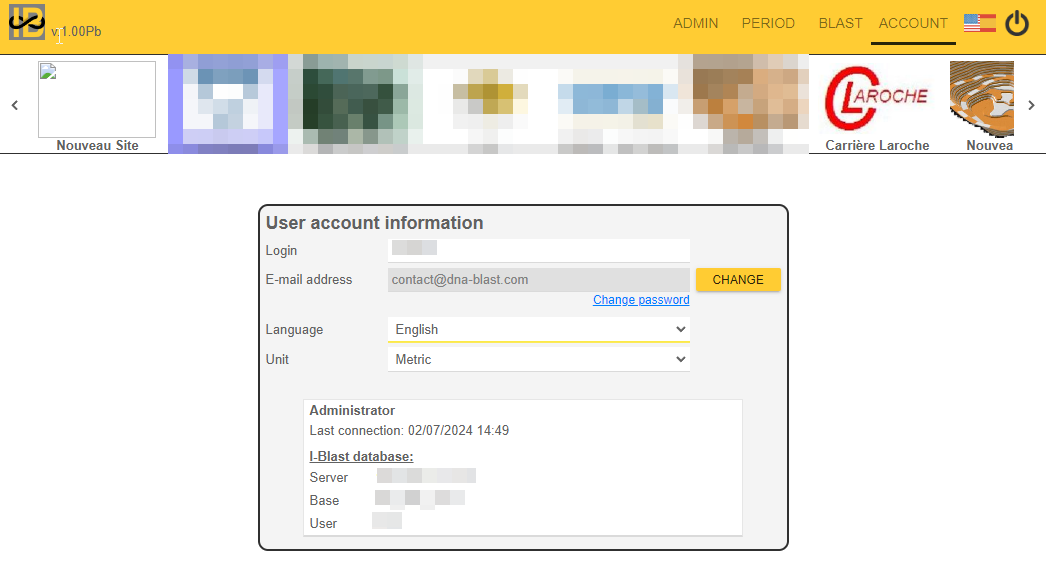
This page lets you view and modify information about the account currently logged in.
Modify information
E-mail address
Clicking on the Change button to the right of the E-mail address field allows you to open a popup window to enter and confirm the new e-mail address.
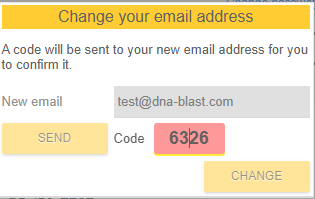
Once the new e-mail address has been entered, clicking on the Send button send a code to the new address.
Once the code has been received, just enter it in the dedicated field and click on the Change button to validate the change.
Password
To change your password, click on the Change password link below the e-mail address field.
When clicked, a popup will appear, asking to enter and repeat the new password. The password must be case-sensitive to activate the Modify button. This will save the password entered.
Language and unity
The Language and Unit selectors respectively allows to select the site display language and the unit system in which charts data will be displayed.
Database information
The bottom frame displays the information used to link the Dashboard user to the I-Blast database.