This wiki is a documentation base for I-Blast software and its derived services
Site navigation
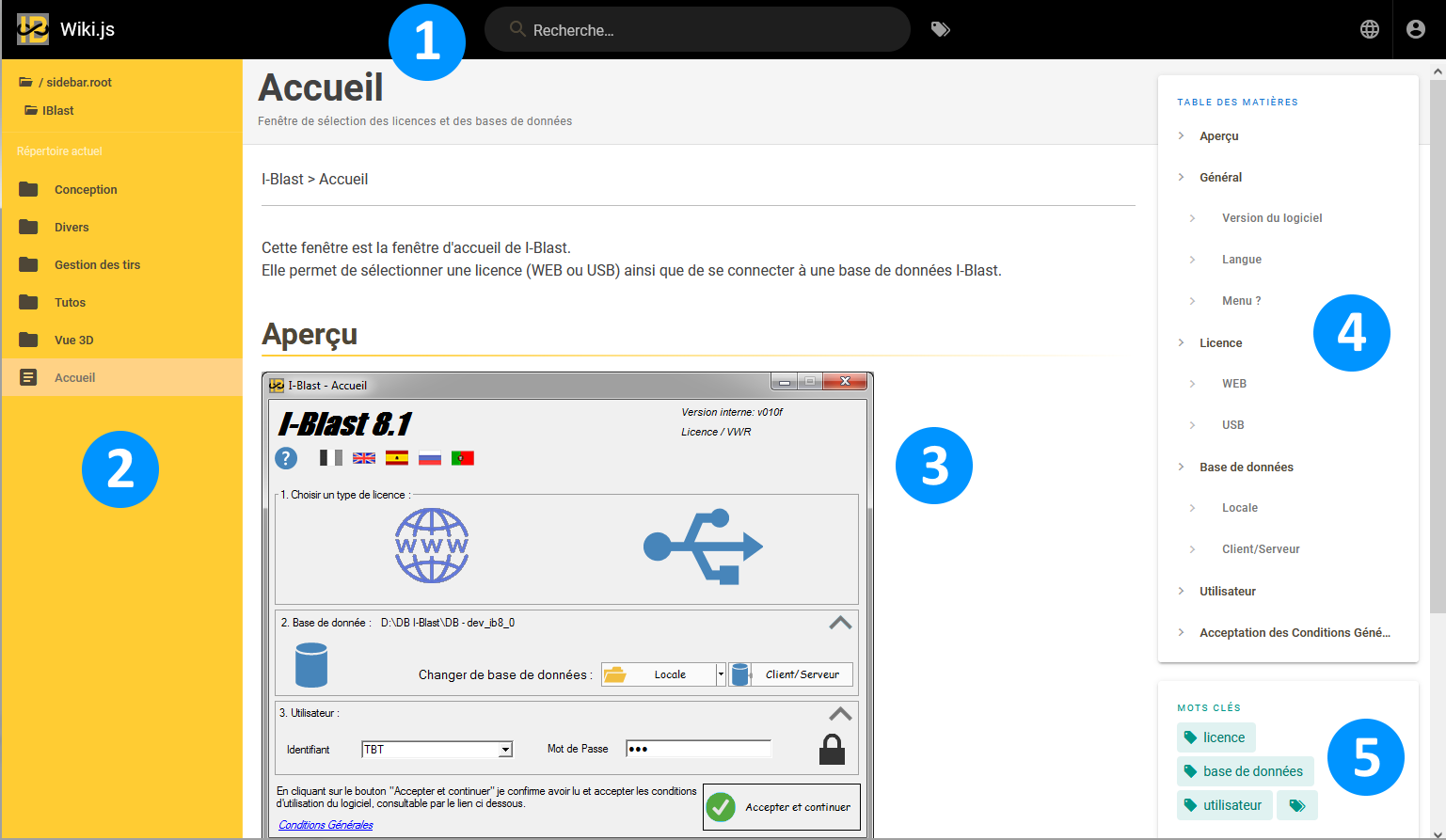
The website is composed of different parts :
- Header banner
This banner contains :- a search field that allows you to search for pages
- a button to access the keyword search
- a menu to change the language
- a login button
- Navigation panel
This panel works like a file explorer.
In the upper part of the panel, you can see the tree of the current folder
Below, you can see the different folders and pages accessible in the current folder.
Clicking on a folder allows to go down in the tree and to access its content.
To go back to a parent folder, click on it in the tree structure. - Page's content
Contains the documentation of the different elements of the software - Page's table of contents
Contains the list of titles of the current page
You can click on a title to get to it quickly. - The keywords
Contains the keywords of the current page.
It is possible to click on a keyword to see a list of pages sharing the same keyword.