I-Blast > Blasts management > Global > Preferences > Options
I-Blast > Blasts management > Blasts > Design > Home > Preferences > Options
Overview
Site
Global
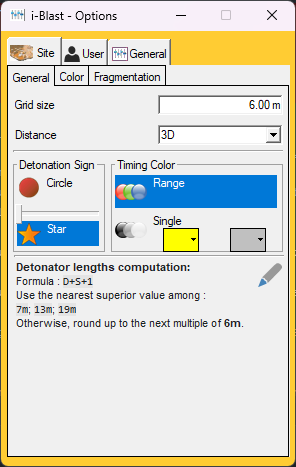
This tab is used to manage general site information:
Grid sizeDistance: Default Seismic distance calculation modeDetonator Sign: Symbol used to represent detonation for sequence visualizationTiming Color: Define the color gradient to be used for sequence visualizationDetonator length computation: Summary of the method for calculating the length of detonators.
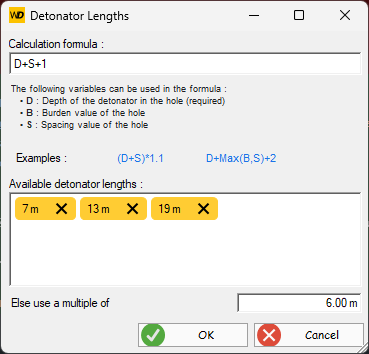
This calculation method can be modified by clicking on
You can define:- The basic formula used to calculate the length based on the depth of the detonator in the hole and the values for the burden and spacing of the hole
- The available lengths
- If the calculated length exceeds the largest available value, the multiple to use for rounding the value
Color
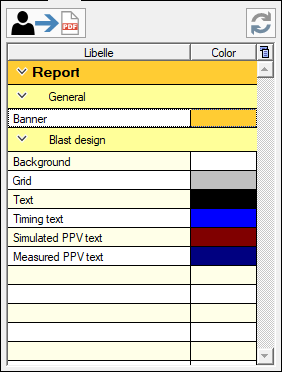
This tab allows you to specify a particular color for each report element.
The button at top left is used to apply the selected colors to the reports.
The button at top right restores the default colors.
Fragmentation
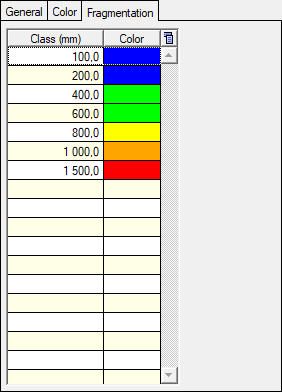
This tab is used to assign a color to a fragmentation class for display in the various I-Blast windows.
User
Map API
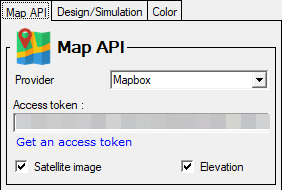
From this tab, you can select a background provider. The different providers are :
- Mapbox : requires registration and a key (https://www.mapbox.com/)
- Map Tiler : also requires registration and a key (https://www.maptiler.com/)
- IGN : use possible without registration, but only the map of France is available
Design / simulation
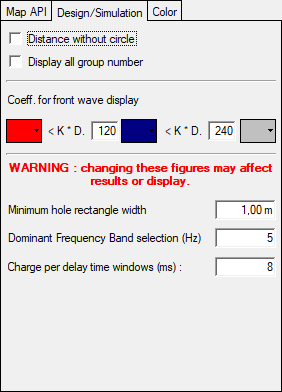
Color
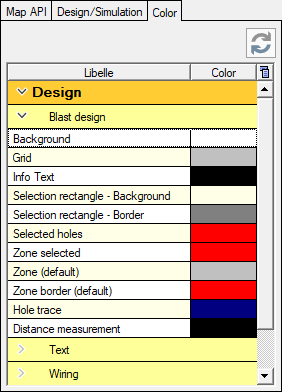
This tab lets you customize the colors used to display views in the various I-Blast windows. The customizable windows are :
- Design window
- 3D View window
- Fragmentation window
General