I-Blast > Blast management > Blasts > Design > Measurements
Overview
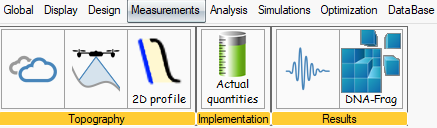
Topography
Pointclouds
The Point clouds button opens the point cloud management window.
Photogrammetry
The Photogrammetry button opens the Point cloud generation window.
This module generates point clouds from sets of images, usually taken from a drone.
2D Profile
The 2D Profile button opens a window for viewing and modifying the front profile of the selected hole.
Implementation
Actual quantities
Opens the window for entering the actual quantity of explosive used in the blast.
Results
Seismic records
The Seismograph button opens the seismic records management window for the current blast.
From this window, you can import, modify and qualify seismic records from different types of sensor.
DNA-FragSize
The DNA-Frag button opens the fragmentation measurement utility from a picture or a set of pictures.
Those pictures are usually from a muckpile and they need a distinctive object to be used as a scale element (ball, cone, or stick with a known size) and full visible on pictures.
DNA-Frag is also used to analyse a muckpile orthophoto. Tiles will be designed to analyse the muckpile visible surface sector per sector. The scale (Ground Sample Distance) is automatically linked to any ortophoto generated in I-Blast (see Photogrammetry button to open the Point cloud generation window).