Overview
This page is used to initiate the creation of a new dataset.
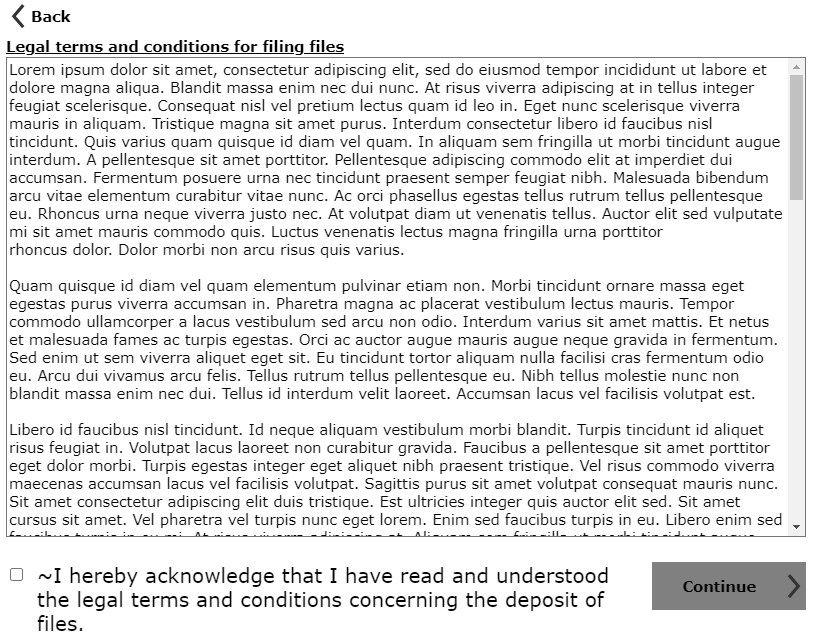
Once you have read and approved the consent form, simply tick the box I acknowledge that I have read the legal terms and conditions concerning the deposit of files to proceed to the stage where you enter the general information for the dataset.
General informations
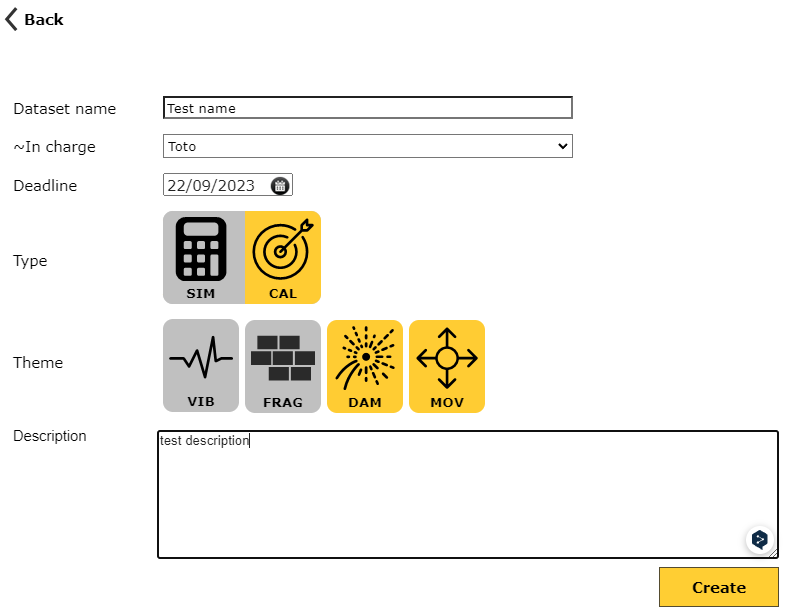
This page contains a number of items of information:
- The dataset name: this will be used to identify the dataset on the website.
- The person in charge: used to obtain notifications of developments in the status of the case
- The deadline: date by which the expert opinion must be delivered
- The type of request:
SimulationorCalibration. - The theme(s) of the request:
Vibration,Fragmentation,Damageand/orMovement. - A description of the request
Clicking on the create button will create the request and set its status to In progress. Initiating the request will allow the user to start selecting the required files in order to send it to expertise.
Selecting the 'New person in charge...' option in the list of persons in charge allows you to create a new person in charge by entering a name, a language (used for all communications) and an email address.
When you click on theCreatebutton, a code will be sent by email to the address you entered earlier. By copying the code into the next input field, the validation button will be unlocked and the contact created.
Dataset
When the dataset is created, a set of information will be requested so that the request can be sent.
The informations requested depend on the type of request and the themes selected previously.
Several types of cards can be completed:
- Cards for entering a value such as the coordinate system
- Cards for uploading a file
- Cards for uploading multiple files
Each card can be either required or optional. The color of the frame around the cards helps to distinguish them: black for required data, purple otherwise.
When a dataset is uploaded, the frame changes color to green, so you can see at a glance what data has already been uploaded.
If the dataset has been inadvertently created or does not correspond to what was intended, a Delete button at the top right of the page is available when the folder has just been created (status In progress).