I-Blast > Blast management > Bases > Templates > Loading
I-Blast > Blast management > Blasts > Design > Database > Templates > Loading
This window is used to create and manage the loading templates used to load holes for blast plans.
Overview
Site template management
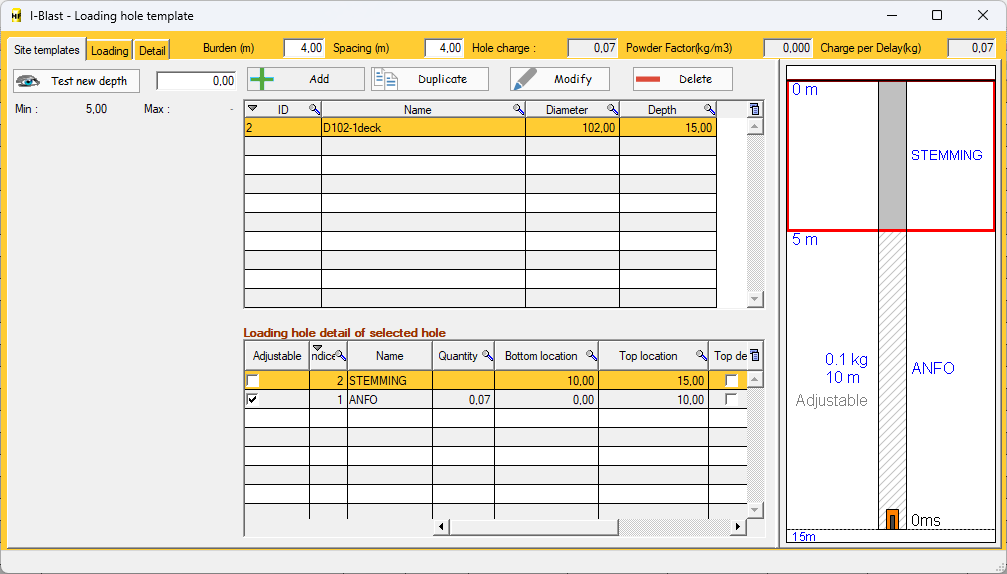
The first tab, Site templates, lets you manage the site's loading templates.
The table top center displays all site templates with their ID, Name and the Diameter and Depth with which they have been defined.
Various buttons above the table allow you to manage these templates:
The Add button is used to create a new template.
A click on this button opens a popup to define the Name, Diameter and Depth of the new template.
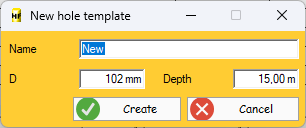
A click on the Create button creates the template and the window switches to load design mode.
The Duplicate button duplicates the selected template.
This template will, by default, take the name of the original template followed by "_Duplicated".
The Edit button is used to enter the loading design mode.
This button has the same effect as changing tabs for the Loading tab.
The Delete button deletes the selected template.
When a loading template is selected, the "Loading details for selected hole" table displays all the charges for the selected hole.
In addition, the loading is drawn in the field on the right of the window.
The selected charge in the loading table is highlighted by a red box.
Alert :
I-Blast verifies loading templates.
If a problem is detected, thesymbol is displayed on the charge concerned.
For more information, see the columnAlertin the loading table.
In the loading table, the Adaptable column indicate if a charge is adaptable and let you modify it.
On the left side of the window is the test other depth function, which lets you preview the template applied to a hole of a given depth.
To use it, enter the depth to be tested in the input field and click on the Test other depth button. The template fitted to the depth entered is displayed below. The Min and Max values indicate the minimum and maximum depths to which the template can be fitted.
If - is displayed for the max value, then the template has no maximum depth value.
If the depth value entered is incorrect, then a message will indicate that the fitting is impossible.
The fields at the top of the window allow you to quickly calculate the Total Loading, Specific Loading and Unit Loading of the selected hole template.
The calculation of the specific load uses the Banquette and Spacing values entered. If a different depth has been tested, the values will be calculated in relation to the tested depth.
Loading design
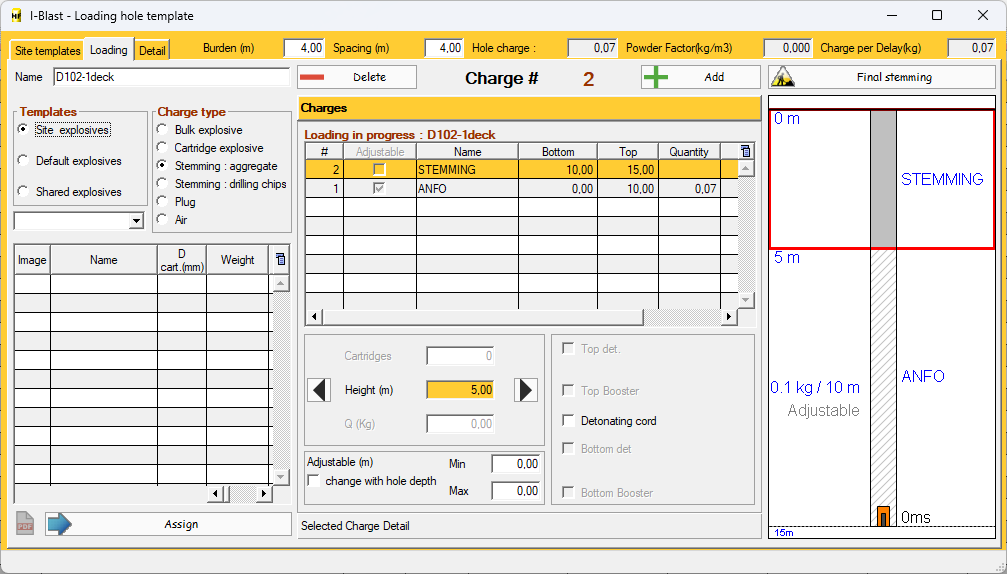
This tab is used to define the different charges of a template.
The Name field at top left allows you to rename the template.
Loading management
The central table displays all template charges.
You can add a charge with the Add button.
If the hole is full, this button will have no effect. In this case, you'll need to reduce an existing charge to make room for the new one.
The Delete button deletes the selected charge.
Charges can be selected from the loading table or from the template loading preview on the right of the window.
Alert :
Loading alerts are also available during creation.
Loading type
The left side of the tab lets you modify the charge type or change the explosive of the selected charge.
The Charge type selector allows you to choose what the charge corresponds to.
The different types of charge include :
- both Bulk and Cartridge types of explosives
- both types of stemming gravel or sand.
- the Plug
- the Air charge
The following fields are used to select the explosive model.
They are only used in the case of bulk or cartridge explosives.
For other types of charge, you can go directly to the Assign button.
The Templates selector allows you to choose the source of the explosive you are looking for:
- Site explosives searches the explosives defined for the site in the explosive model window.
- Default explosives allows you to use a generic explosive with standard values.
- Shared explosives allows you to search for explosives that have been shared and are accessible on all the user's sites.
The combo below the model allows you to filter explosives by manufacturer.
The table below the selectors displays the explosives found meeting the selected criteria.
Cartridge type explosives are also filtered according to their diameter.
Only cartridges with a smaller diameter than the model are displayed.
The  button displays the technical data sheet for the selected explosive if it has been imported into the explosive model.
The Assign button lets you change the charge type or explosive of the selected charge.
Loading details
In the central section below the load table, you can define the quantity, height and various options of the selected charge.
Quantity and height
The first group of fields is used to define the quantity and/or height of the selected charge.
The definition method varies according to the type of charge.
- For a Bulk charge, it is possible to define the load
Heightin m or the quantityQin kg.
As the two values are linked by the density of the explosive and the diameter of the hole, changing one of the values will recalculate the other. - For a Cartridge or Plug charge, the quantity is defined as the number of
Cartridges(plug).
For plugs, the maximum number of units in a single loading is 2. - For Gravel stemming, Sand stemming or Air filling, the quantity is only defined by the load
Heightin m.
The arrow buttons on either side of the Cartridge, Height and Q fields allow you to increment (right arrow) or decrement (left arrow) by a value of 1 unit / m / kg.
For Cartridge loads, a scroll bar enables the cartridges to be Stacked.
The diameter is increased and the cartridge height reduced, while maintaining a constant volume.
Cartridges can be packed to the maximum until their diameter is equal to the one of the template.
Adaptable
The Change with hole depth box indicates that the charge is adaptable.
Adaptable charge :
Adaptable charges are charges whose height may vary when the template is applied to a hole of different depth.
These charges help to absorb the difference in depth between the template and the actual hole.
This difference in depth is distributed evenly between the various adaptable charges, within any defined limits.
The variation limits are defined in the fields Min and Max.
A Max value of 0 indicates no limit. The charge can therefore be increased as much as necessary.
A template with at least one adaptable charge and a Max of 0 can be adapted to any depth above its min limit.
In the case of Bulk or Cartridge explosives, limits are defined in charge (in kg).
In the case of Gravel stemming, Sand stemming or Air stemming, the limits are defined in height of charge (in m).
Charges of the Plug type are not adaptable.
Options
Use this box to define the options for the selected charge.
The various options are :
Top detindicates that a detonator should be placed at the top of the charge.
The(ms)field is used to define the detonator's bottom-hole delay.
The combo below lets you choose the type of detonator used from Undefined, Nonel, Electric and Electronic.
In the case of a Nonel detonator, an additional delay indexed to the depth of the detonator is added. This delay is calculated by default with the VOD value of 2000 m/s, but the VOD value can be modified in the detail pane (see next paragraph).Top boosterindicates that a booster should be added to the top of the charge.
The(kg)field indicates the booster's explosive mass.Detonating cordindicates that a detonating cord should be placed along the charge.
Theg/mfield is used to indicate the weight of the string.- The
Bottom detfield is used to indicate that a detonator should be placed at the bottom of the charge.
The sub-options are the same as forTop det Bottom boosterindicates that a booster should be added to the bottom of the charge.
The(kg)field indicates the booster's explosive mass.
Detail
The “Selected charge details” pane gives access to additional information on the loading template and the selected charge.
Most of this information is read-only.
The only informations that can be modified are :
- The
Colorto replace the color defined in the explosive template. - The
VOD Nonel(if the value is not entered or is equal to 0, the default value of 2000 m/s will be applied)
Detail
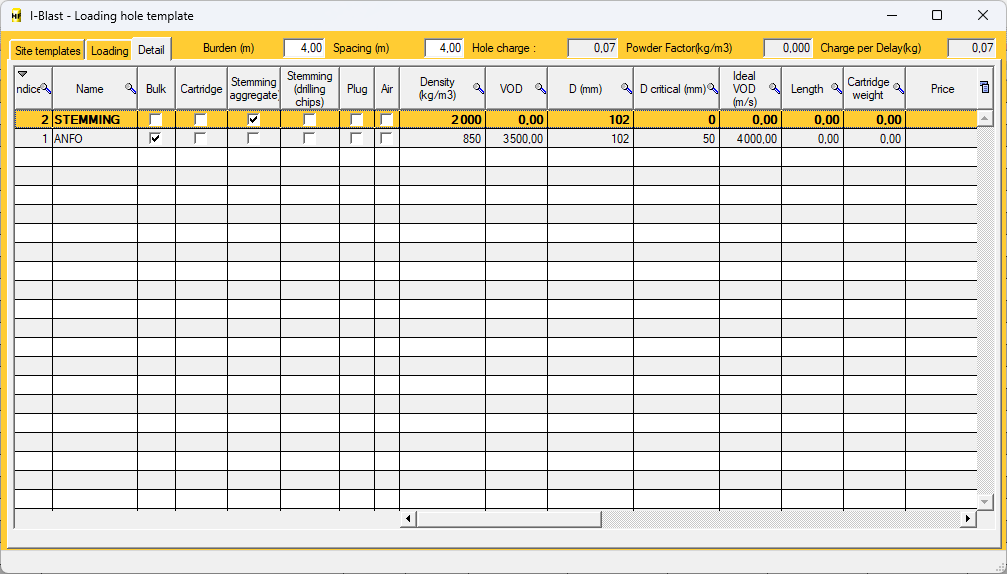
This tab displays a more complete table of the different charges for the selected loading template.