I-Blast > Home > "Admin" account connection
Overview
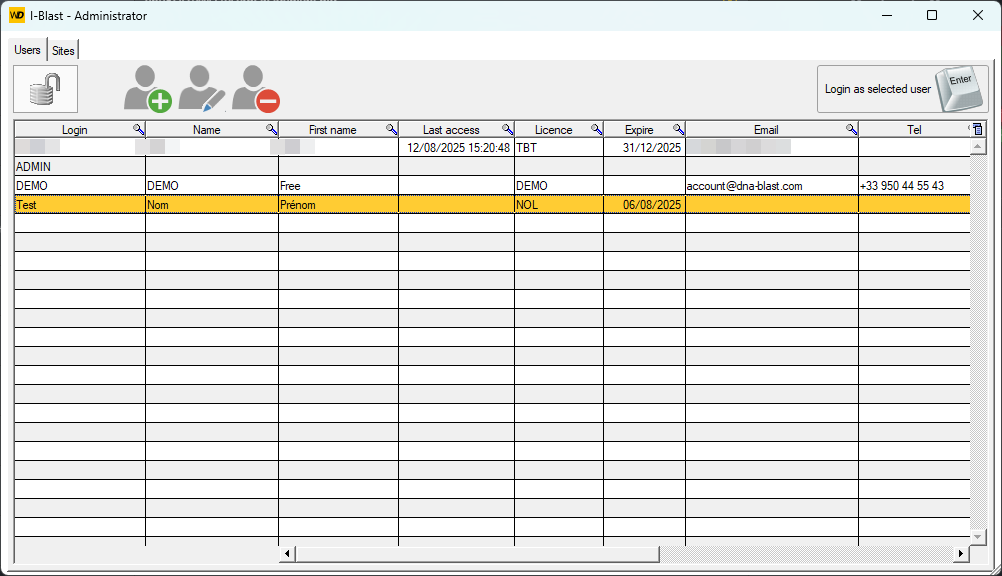
This window contains two tabs for managing the sites and users of the currently connected database.
Users
This window has a top section containing buttons for accessing users management functions, and a bottom section containing the list of database users.
There are 5 buttons:
Lock, which dissociates the machine from the user, leaving the user free to connect from another computer at a later dateAdd userto add a new userUser modification, which opens the user's modification window to edit informations such as password, e-mail...Delete user, which deletes the user selected in the table. This action will delete all the user's associations on the sites. A warning will be displayed if any sites are left without users.Login as selected userallows you to log into I-Blast as the selected user.
Sites
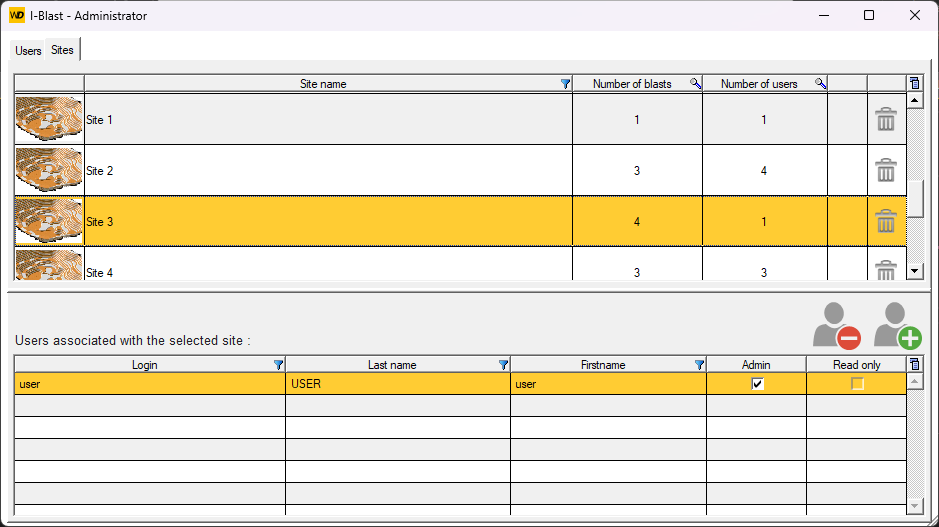
This tab is divided into two parts:
- The upper part lets you manage sites
- The lower part lets you manage the association of the site selected in the upper part with users.
Site selection
This table displays useful administration information for each site in the database. Two actions are possible from this table:
- Deleting a site by clicking on the !trash button (/img/common/corbeille.png =x24).
If there are blasts associated with this site, a confirmation request will appear to delete the site and all associated blasts. - Modifying a site name directly in the corresponding column
A warning will be displayed in this table when no user is associated with the site or when no site administrator is present.
When you hover the mouse over the  icon, the warning details will be displayed.
When a site is selected, the table of associated users is updated.
Associated users
This table displays information on users with access rights to the selected site.
The buttons above allow you to :
- Associate a user with the site, so that he can access it
- Disassociate a user from the selected site to remove their rights
The Admin and Read-only columns can also be used, respectively, to change the user's status to site administrator (in order to be able to modify information inherent to the site, such as the coordinate system) and to make the user read-only (which means that he will no longer be able to modify or add blasts).