I-Blast > Blast management > Blasts > Design
Preview
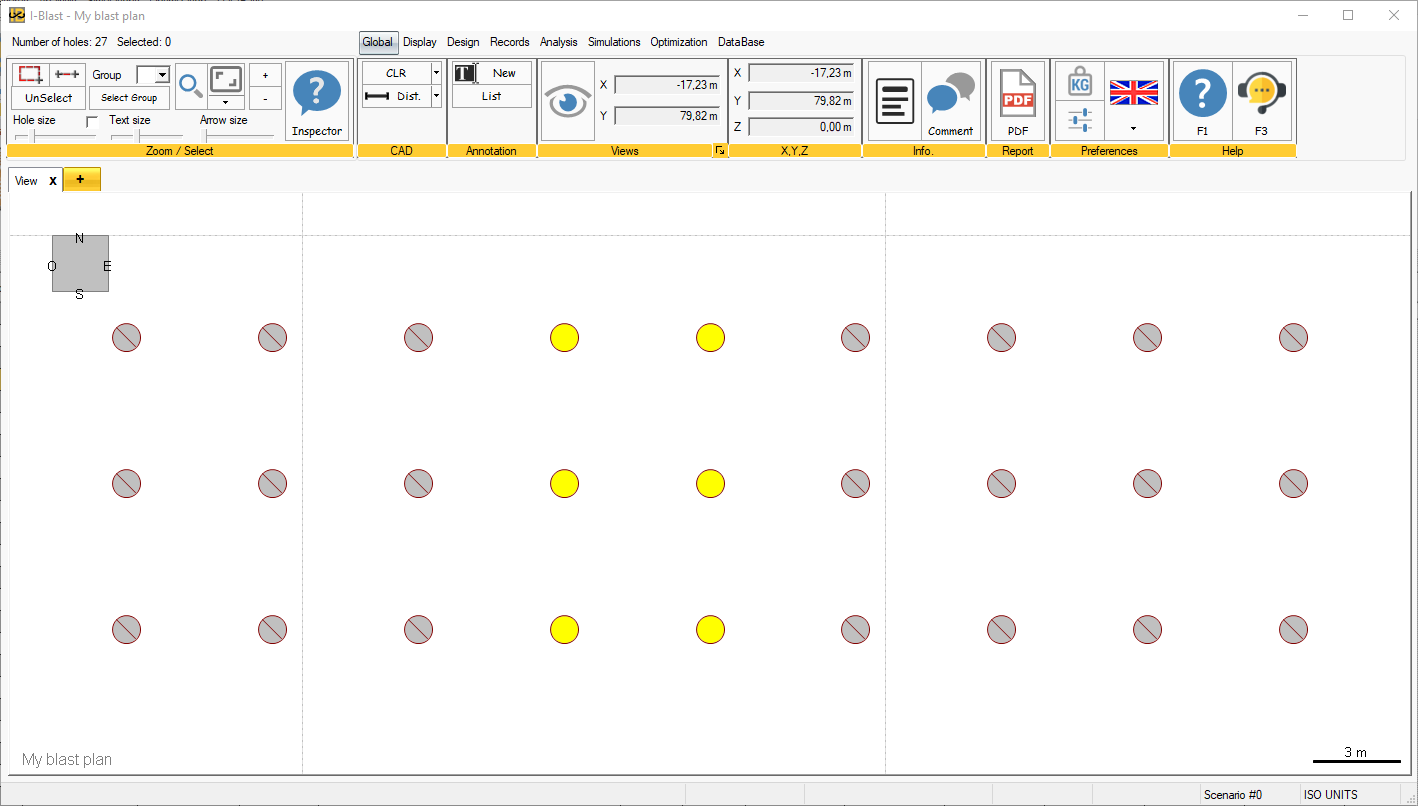
This window is one of I-Blast's main windows.
It lets you visualize and design the blast and all associated objects.
It features a wide range of design tools.
It is divided into 3 parts:
- The ribbon which contains the various tools
- The plan view which displays a 2D representation of the elements
- The message bar which contains a variety of contextual information
Ribbon
The Ribbon contains all navigation and design tools.
It consists of
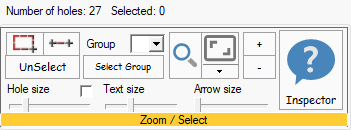
- a fixed part containing navigation and selection tools
- a tabbed section providing access to all design tools.
Navigation and selection
This is the fixed part of the ribbon, common and usable whatever tab is selected:
Global tab

The Global tab contains general functions concerning the blast plan and the software.
Display tab

Design tab

Measurements tab
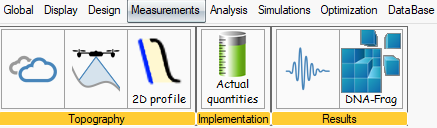
The Measurements tab contains the functions for integrating the various field measurements into the blast plan.
Analysis tab

The Analysis tab contains functions for analyzing the various elements of the blast plan, such as sequence, loads, drilling...
Simulations tab

The Simulations tab contains functions for simulating the blast vibrations, projections, fragmentation and air overpressure.
Optimization tab

Database tab
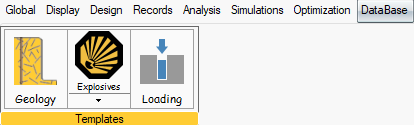
The Database tab contains management functions for the various templates (geology, explosive, loading).
Plan view
Located in the central part of the window, this area contains the main view in which the elements of the blast plan are drawn and on which some of the mouse actions are performed.
In addition to the drawing of the elements, there are :
- The cubeview or boussole.
In the upper left-hand corner, it indicates the view's orientation. - The name of the blast design
In the bottom left corner - The scale
In the bottom right corner, gives a distance reference.
Message bar
This bar, located at the very bottom of the window, contains various contextual information useful for identifying the current action or the information currently shown in the plan view.

These informations are in the following order:
- Context-sensitive help message
- Current operation progress gauge
- Current action
- Hole text displayed on the plan
- Active hole
- Active scenario
- Current unit system (ISO or US)