I-Blast > Blasts management > Database > Templates > Geology
I-Blast > Blasts management > Blasts > Conception > Database > Templates > Geology
Overview
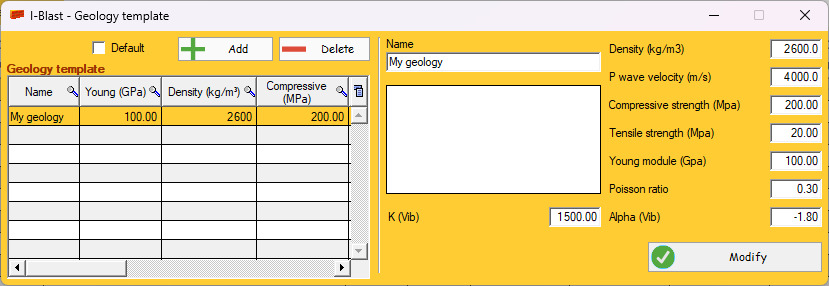
The window is divided into two parts:
- On the left, a table of geological templates, with buttons for adding or deleting models.
- On the right, a screen for displaying and editing the parameters of the selected model. This screen allows you to modify the following parameters:
A left-click on the square below the model name opens a file selector to choose an image for the geological model.
Models can then be assigned to geological layers and polygons for various calculations/simulations. See the Geology window