I-Blast > Blasts management > Measurements
This tab lets you import blast data and results.
Overview
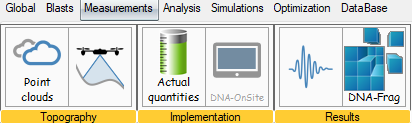
Topography
Point clouds
This button opens the point cloud management window of the site.
Photogrammetry
 This button opens the point cloud generation window.
This window allows you to obtain a point cloud of the terrain from a set of images, usually obtained using a drone.
The point clouds obtained when the window is opened via this menu will, by default, be linked to the current site.
Implementation
Actual quantities
 Opens the window for entering the actual quantity of explosive used in the selected blast.
DNA-OnSite
This function can be used to extract and, if required, merge surveys from the DNA-OnSite tablet application.
This option is only available if surveys have been carried out and re-exported for the current blast.
These surveys are visible in the results/simulations table of the blast in the preview tab of the information panel.
When you click on the button, if several surveys exist for the blast, the following window opens to select the survey(s) to be extracted :
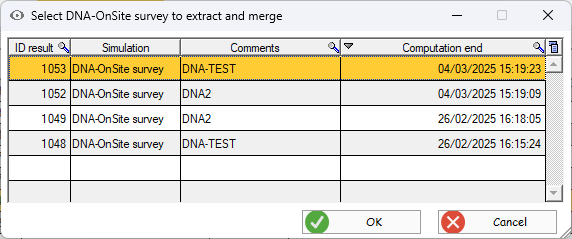
If a single survey is selected, it will be extracted as a new blast in the current site.
If several surveys are selected, a conflict resolution window opens to merge all these surveys into a single blast that will be added to the site.
In both cases, the new blast will have the same name as the original one, with the comment DNA-OnSite Survey, followed by the list of tablet user names defined in the DNA-Onsite application.
Results
Seismograph
 Opens the seismic signal management window of the blast.
This window lets you import and manage the vibration results of the selected blast.
DNA-Frag
 Opens the DNA-FragSize window.
This window lets you take fragmentation measurements from images of the muckpile.
These measurements are linked to the selected blast.