I-Blast > Blast Management > Analysis > Audit > Drilling
I-Blast > Blast Management > Blasts > Design > Analysis > Audit > Holes table
Overview
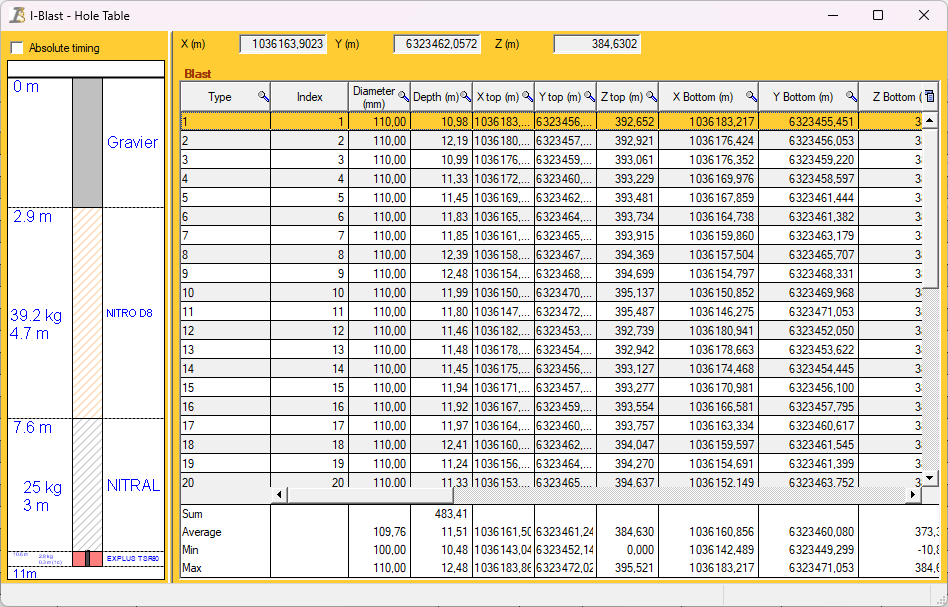
This window features three distinct sections:
- The hole table at the top right
- The loading profile of the selected hole on the left
- Calculations performed for all holes in the blast
Selection table

The first three fields identify the selected blast by displaying the average coordinates of the blast holes.
Features only available from the Design window
TheSelect Groupbutton allows you to add the holes selected in the table to the hole selection in the Design window
TheDisplaybutton allows you to perform the reverse operation and thus select the table rows corresponding to the holes selected in the Design window
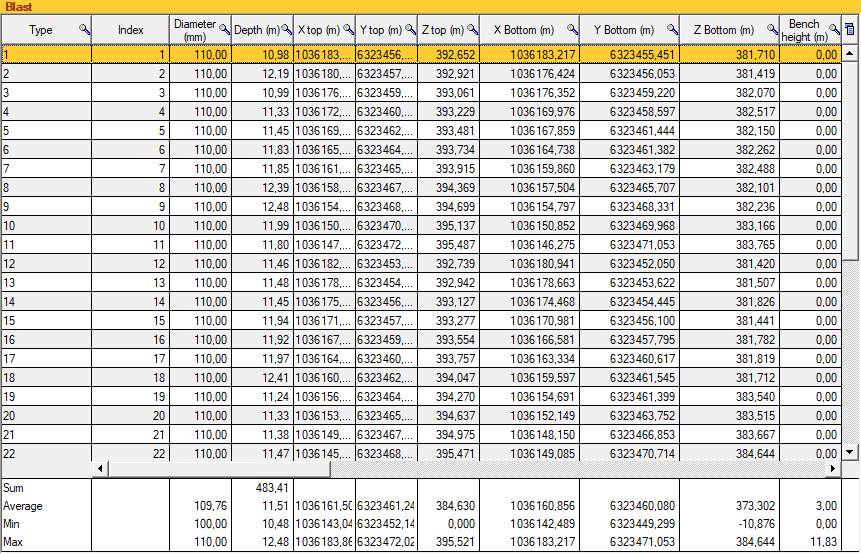
The table below is a list of the holes in the blast, containing information for each hole:
- Hole name (type)
- Hole index in the blast pattern
- Diameter
- Depth
- Hole collar X position
- Hole collar Y position
- Hole collar Z position
- Hole bottom X position
- Hole bottom Y position
- Hole bottom Z position
- Face dip
- Height
- Burden
- Spacing
- Hole inclination
- Hole timing
- Loading indicator
- Offset
- Previous hole index in the wiring
- Wiring group
- Hole azimuth
- Hole group
- Hole ID
- Hole comment
- Whether the hole is part of the free face
- Charge present in the hole
- Unit charge of the hole
- Average powder factor
- Sub-drilling
- Overburden
- Final stemming height
The features common to tables apply to this table.
Loading
When a hole is selected in the table, the loading diagram is updated according to the selection.
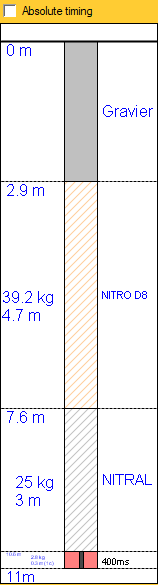
The Absolute Times checkbox allows you to update the times displayed on the diagram to view the hole times or the times in the blasting sequence.
Calculations
Calculations are performed for certain key columns in the hole table:
- Average / Min / Max hole diameters
- Sum / Average / Min / Max hole depths
- Average / Min / Max X, Y, and Z coordinates of the hole tops
- Average / Min / Max X, Y, and Z coordinates of the hole bottoms
- Average / Min / Max of the inclination of the hole face
- Average / Min / Max of the height of the hole face
- Average / Min / Max of the hole bench
- Average / Min / Max of the hole spacing
- Average / Min / Max of the hole inclination
- Min / Max of the time inclination of the holes
- Sum / Average / Min / Max of hole loading
- Average / Min / Max of unit load per hole
- Average / Min / Max of average RC per hole
- Average / Min / Max of hole over-depth
- Average / Min / Max overburden of the holes
- Average / Min / Max of final backfill per hole
When a filter is applied, the calculations are automatically updated.