I-Blast > Blasts management > Blasts > Blast Management > Share > Detonator timing > Detex
Overview
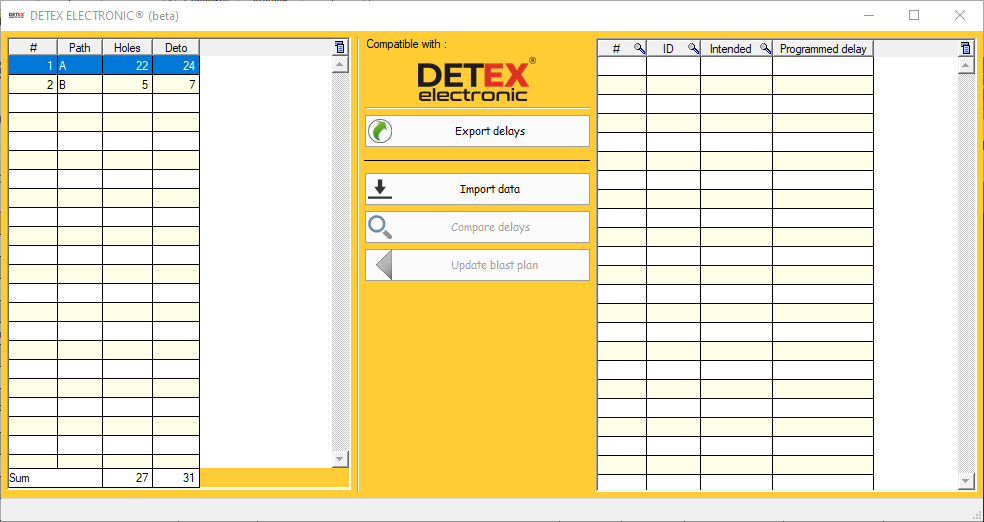
This window lets you export or import data files from Detex® detonators.
To use this module, the programming order of the holes have to be defined using the path tool
The table on the left shows the existing programming paths for the selected blast.
The table on the right is used to import data from a file (LOG or XLSX).
The buttons in the middle of the window are used to perform various actions:
Export delays
The Export delays button generates a file compatible with Detex® detonators. Clicking on this button opens a window to select the original file (created by the console) in log or xlsx format. Once selected, a new file of the same name suffixed with "_updated" will be created, containing the times of the path selected in the table on the left.
Import
The Import data button read a file created by the device detonators in order to compare or import the delay into the blast.
Clicking on this button open a window allowing you to select the file to be imported (LOG or XLSX). Once the file has been selected, the table on the right will show the data from the file.
The buttons Compare delays and Update blast plan will then be available.
Compare delays
When clicking on the Compare delays button, the delays of the programming path selected in the left-hand table are displayed next to the actual delays from the file in the table on the right.
Delays that have been modified will be highlighted.
The link between the delays from the file and the one from the blast design is made using the detonator numbers as a reference.
Update blast plan
When clicking on the Update blast plan button, the delays of the programming path selected in the left-hand table are updated with the actual delays from the file.
This import, like the delays comparison, takes the detonator numbers as a reference.
In the case where the sequence is designed using surface wiring and there is only one detonator per hole, the delays will be updated as far as possible by modifying the surface connectors.
In other cases, the delays will be assigned as absolute in-hole time and the type of the modified detonators will be assigned to Electronic (Absolute time).