I-Blast > Blasts management > Database > Templates > Explosives
I-Blast > Blasts management > Blasts > Conception > Database > Templates > Explosives
This window is used to enter the different explosive templates that can be used in I-Blast.
These explosive templates are used to create loading templates for loading holes.
Overview
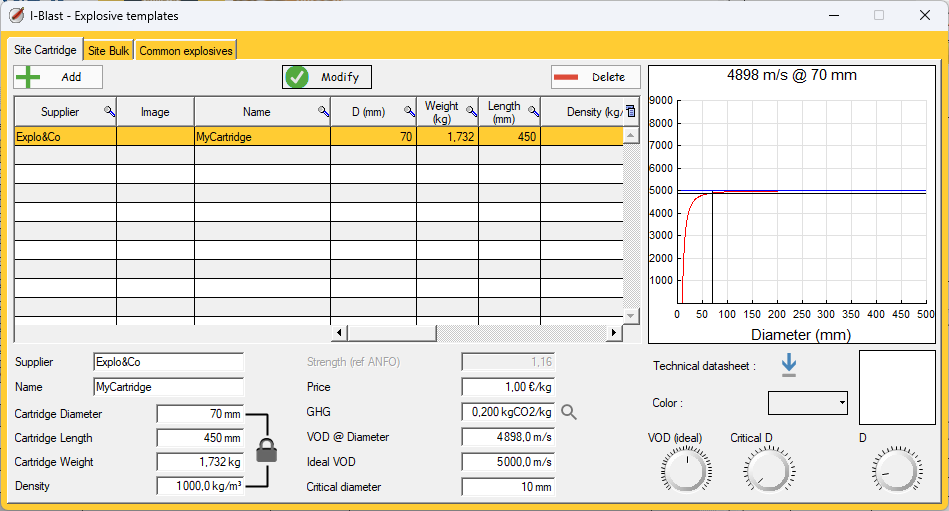
Site cartridges
The first tab of the window lets you create and modify cartridge type explosive models.
The table contains the various cartridge models on the site.
The Add button is used to add a new cartridge.
The Delete button deletes the selected cartridge model.
After selecting an explosive in the table, the following information can be entered in the lower part of the window:
- The
supplier, which allows you to filter the different explosives according to their manufacturer. - The cartridge
name - The cartridge
diameter - The cartridge
length - The cartridge
weight - The explosive
density
The weight of the cartridge is theoretically linked to its dimensions and the density of the explosive.
It is possible to link this informationand in this case modifying the dimensions or density will automatically recalculate the cartridge weight.
It's also possible to unlink this informationto enter them independently.
- The
Priceper kg of the explosive - The
GHG(Carbon Equivalent) of the explosive - The
VOD @ Diameter(actual cartridge VOD) - The
Ideal VODof the explosive - The
Critical diameterof the explosive
When entering the ideal VOD and the critical diameter of the explosive, a graph showing the evolution of the VOD as a function of diameter is displayed in the field on the right of the explosives table.
This graph can be used to determine the theoretical VOD at the cartridge diameter if this information is not known.
You can use the rotary knobs at the bottom right of the window to quickly vary the graph parametersVOD (ideal),Critical D(critical diameter) andD(cartridge diameter).
- An
Explosive technical data sheetcan be attached using the button.
The button can be used to view the data sheet.
- The color of the explosive can be changed using the color selector.
You can also find the explosive's Strength relative to the ANFO for your information.
Once you have modified the values of the explosive characteristics, click on the Modify button to apply the changes.
Site bulk
The second tab of the window lets you create and modify bulk explosive models.
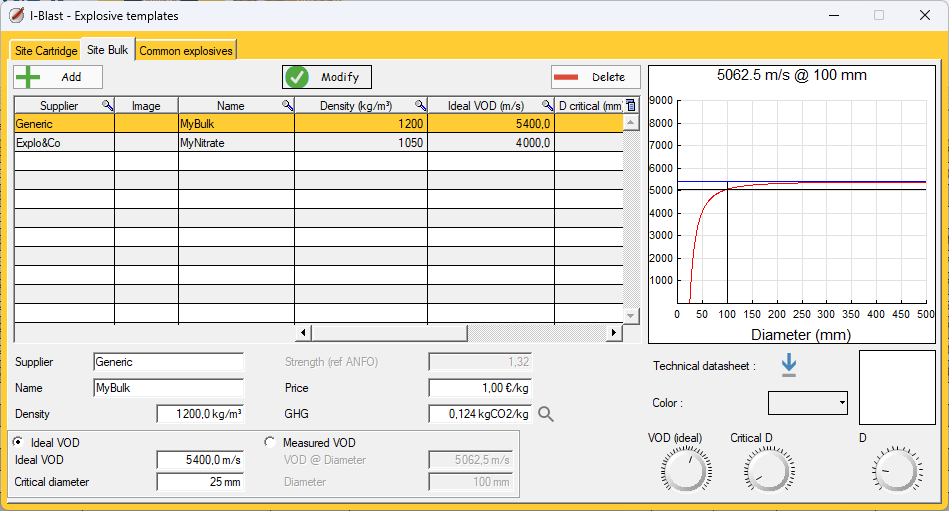
The buttons and information to be entered for bulk explosives are almost the same as for cartridges.
Unlike cartridges, there are two ways of entering the VOD for bulk products:
- Direct entry of the
Ideal VODand theCritical Diameter. - Entering the
Critical Diameter, a Hole DiameterDiameterand the actualVOD @ Diameter.
This information is used to recalculate the ideal VOD.
Common explosives
This tab lets you share explosive templates between different I-Blast sites or databases.
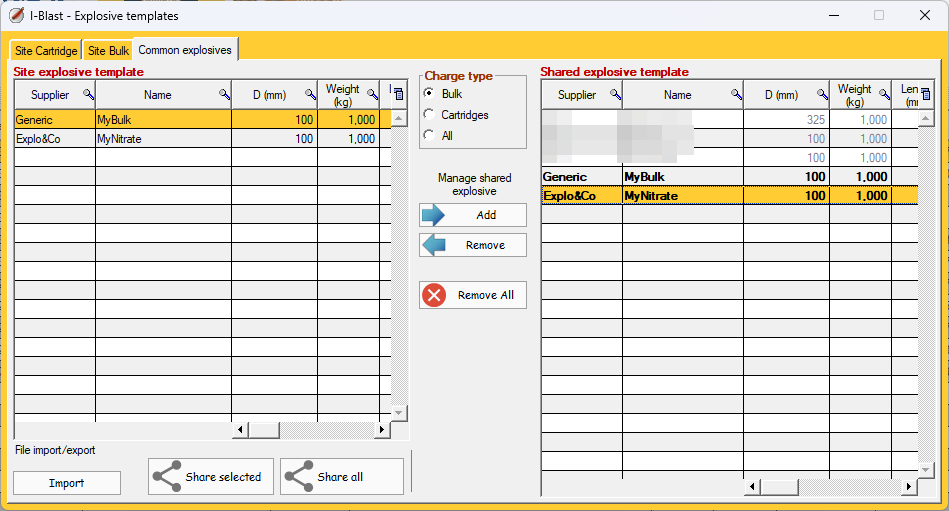
The table on the left shows the explosives for the current site.
The right-hand table shows explosives shared between sites.
In this table, explosives from the current site are shown in bold, while explosives from another site are shaded.
It is possible to filter the type of explosive by Bulk or Cartridge using the Charge type selector.
The Add button lets you share the explosives of the site selected in the left-hand table with the other sites in the database.
The Remove button cancels the sharing of explosives from the site selected in the right-hand table.
The Remove All button cancels the sharing of all explosives on the site.
The site's explosive templates can also be imported/exported via the Import, Share selection or Share all buttons, in order to share them between different I-Blast databases.