I-Blast > Blast management > Blasts > Design > DataBase
Overview
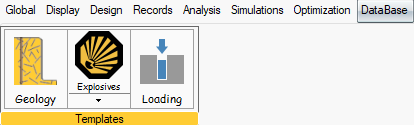
Geology
Allows you to enter site-specific geological models.
See the Geology page
Explosives
Allows you to enter the different explosives that can be used when loading holes.
See the Explosives page
The menu under the Explosives button gives access to the option Update explosives properties from templates.
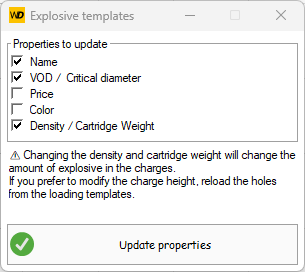
This window allows you to update the properties of explosives already loaded into the blast from the associated models.
Properties to be updated can be selected independently :
Nameof the explosiveVOD and critical diameterPrice- Display
Color Density and cartridge weight
Properties modified in this window do not modify deck length..
When changing the density or cartridge weight, it is the quantity of explosive in the charges that is modified.
To modify properties that may affect charge length, such as cartridge dimensions, or modify the density while keeping the quantity of explosive fixed, update the loading template and reload the holes.
Loading
Allows you to create hole loading models to be used in the various blasts entered in I-Blast.
See the loading page.